Object Separation with Watershed
Tools for separating touching or overlapping objects stored in the Selection, Mask, or Model layer.
Overview
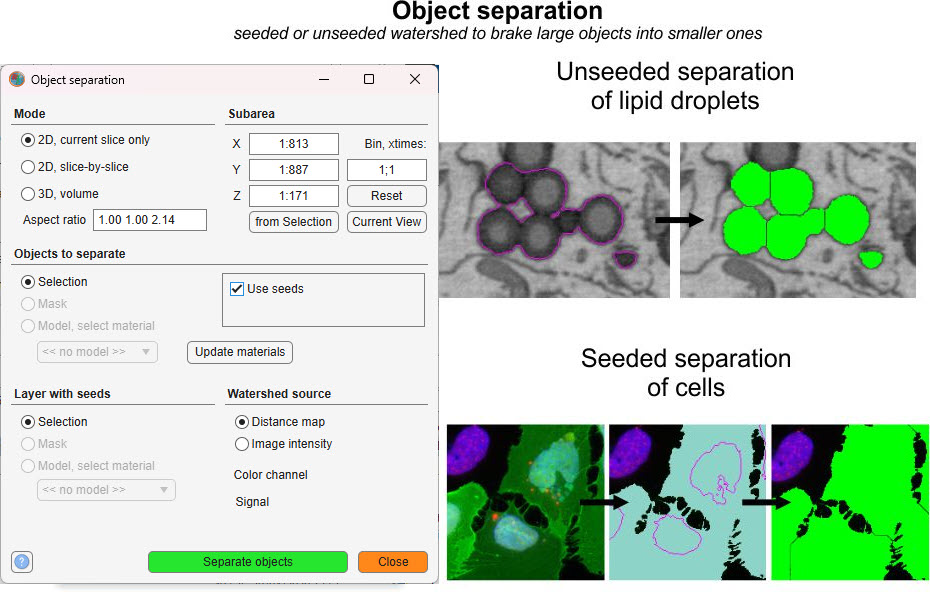
The Object separation tool uses watershed transformation to divide connected objects into smaller, distinct units. Objects can originate from the Selection, Mask, or Model layer, making the tool useful for refining segmentation results where objects are fused or touching.
Launch via Ribbon → Tools → Object separation.
Mode panel
The Mode panel controls the segmentation scope.
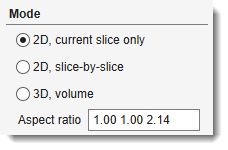
- — applies watershed only to the currently displayed slice in the Image View panel
- — applies 2D watershed to each slice individually
- — performs 3D watershed across the entire dataset or a selected subvolume (see Subarea panel below)
- — voxel aspect ratio used for 3D distance-transform watershed, expressed as three space-separated values (e.g.,
1.00 1.00 3.50). Computed automatically from the pixel sizes in Dataset → Parameters.
Subarea panel
The Subarea panel limits processing to a portion of the dataset.
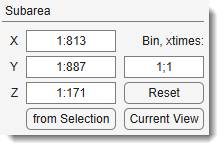
- — pixel width range, e.g.
1:512 - — pixel height range
- — slice range
- — fills X, Y, and Z from the bounding box of the Selection layer
- — limits X and Y to the visible area in the Image View panel
- — binning factor
XY; Zto downsample before processing (e.g.,2; 1halves XY resolution) - — restores all fields to the full dataset dimensions
Warning
Binning in Object separation mode may produce unpredictable results.
Objects to separate panel
Defines the source layer and separation options.
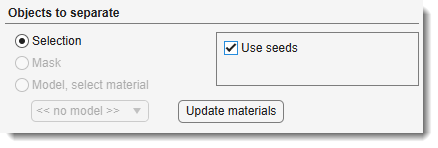
Source layer (radio buttons):
- — use the Selection layer as the object source
- — use the Mask layer
- — use a specific material from the Model layer; choose the material from the dropdown that appears below the radio buttons
Options:
- — enables seeded watershed; when checked, the Layer with seeds and Watershed source panels appear and Reduce oversegmentation is hidden
- — (standard watershed only, hidden when Use seeds is checked) applies extended minima suppression to reduce excessive fragmentation
- — refreshes the material dropdown lists from the current model
Layer with seeds panel
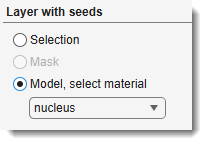
(Visible only when is checked)
Specifies the layer that contains the seed markers used to guide the seeded watershed.
- — use the Selection layer as seeds
- — use the Mask layer as seeds
- — use a specific material from the Model layer; choose the material from the dropdown below
Watershed source panel
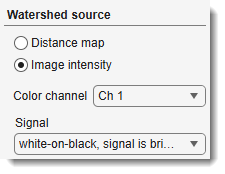
(Visible only when is checked)
Controls which data the watershed algorithm uses to define catchment basins.
- — watershed runs on the Euclidean distance transform of the object mask (default; shape-based separation)
- — watershed runs on the raw image grey values (intensity-based separation; requires seeds).
See Steve Eddins's blog on cell segmentation.
When Image intensity is selected, two additional controls appear:
- — color channel used for intensity-based watershed
- — polarity of the image signal: white-on-black, signal is bright (fluorescence, light microscopy) or black-on-white, signal is dark (transmitted light, electron microscopy)
Object separation example
The following example separates fused mitochondria using unseeded watershed:
- Open
Ribbon → Tools → Object separation - Select in the Objects to separate panel
- Click
Snapshot
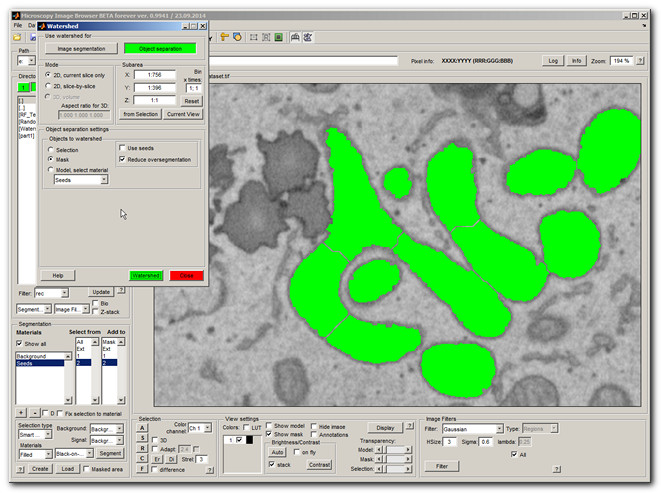
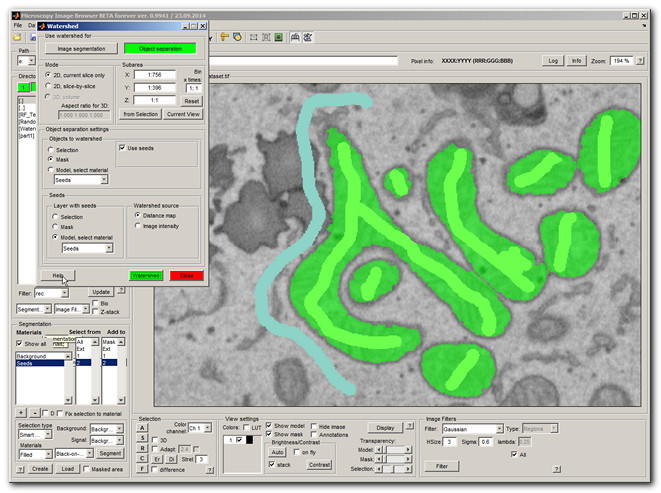
Unseeded watershed can over-segment long objects. To address this, switch to seeded watershed:
- Check
- In the Layer with seeds panel, select and choose the Seeds material
- Click
Each object with a single seed label is extracted individually (highlighted in green).
Snapshot
Algorithm
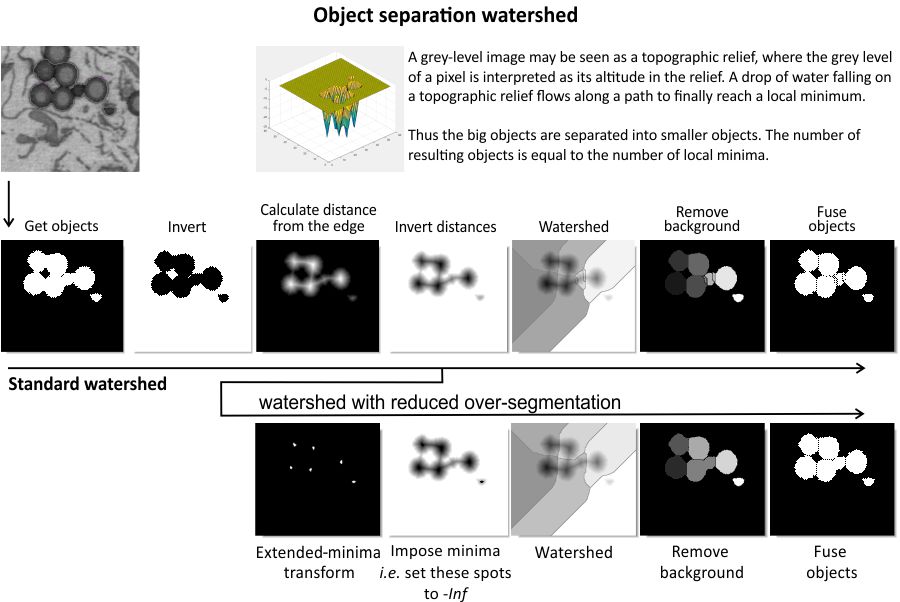
The diagram above illustrates the step-by-step process of the watershed-based object separation algorithm.
Batch scripting
This tool supports batch scripting for automation.
Example
BatchOpt.Mode          = {'mode3dRadio', {'mode2dCurrentRadio','mode2dRadio','mode3dRadio'}};
BatchOpt.ObjectSource  = {'Mask', {'Selection','Mask','Model'}};
BatchOpt.UseSeeds      = false;
BatchOpt.ReduceOversegmentation = false;
BatchOpt.XSubarea      = '1:512';
BatchOpt.YSubarea      = '1:512';
BatchOpt.ZSubarea      = '1:100';
BatchOpt.Binning       = '1; 1';

obj.mibController.startController('controllers.ObjectSeparator', [], BatchOpt);
References
- Watershed transform Q&A from tech support by Steve Eddins
- Cell segmentation with seeded watershed by Steve Eddins
Back to MIB | User interface | Ribbon | Tools