Black and White Thresholding
BigData mode: not supported
Black-and-white thresholding is not available in BigData (or Virtual) mode. Switch to a memory-resident (Standard) dataset to use it.
Overview
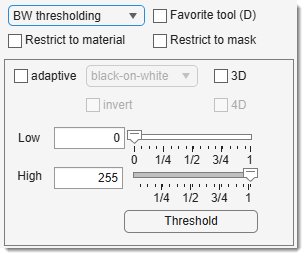
Performs black-and-white thresholding on the current slice or dataset, depending on and .
Start thresholding modifying slider/edit box values or by pressing .
Parameters and controls
Use the and sliders/edit boxes to set threshold values, selecting pixels with intensities between them. Thresholding starts automatically upon interaction.
If is checked, thresholding is limited to masked areas, ideal for local thresholding.
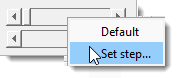 Right-click (
The checkbox enables adaptive thresholding with (Sensitivity) and (Width) parameters adjusted by scroll bars.
Usage notes
For large 3D/4D datasets:
- Start in 2D mode (uncheck and ).
- Adjust parameters on the current slice.
- Check or when ready.
- Press to apply.
Presets
Use the following key shortcuts to define and restore presets
- Shift+1, Shift+2, Shift+3 - store preset 1, 2, or 3 correspondingly
- 1, 2, 3 - restore preset 1, 2, or 3 correspondingly
Back to MIB | User interface | Panels | Segmentation