Navigation
Installation Instructions
This is additional installation information for MIB 1, which is outdated and no longer developed.
The current version is MIB 3; see also MIB 2.
Contents
First start of MIB 1
During the first start MIB creates a template file mib_java_path.txt with the paths to Fiji and Omero.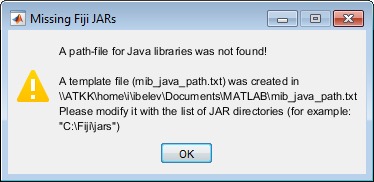
- To use MIB with Fiji, modify the Fiji installation directory in
mib_java_path.txt. See more about Fiji in the Fiji: Volume rendering and connection section - To use MIB with Omero server, please follow these steps
- Access help and tutorials from the menu of MIB:
im_browser->Menu->Help->Helpor from mib.helsinki.fi/tutorials
MIB stores its configuration parameters:
- Windows in
c:\temp\im_browser.mator whenc:\tempis not available then the configuration parameters can be found inC:\Users\User-name\AppData\Local\Temp\im_browser.mat - Linux in the script directory or in the local
tmpdirectory (/tmp)
The configuration file is automatically created after closing of MIB.
If MIB does not start check MATLAB path and/or delete
c:\temp\im_browser.mat file.
Optional tools
MIB can be extended with various usable optional tools, unfortunately due to various reasons those tools
can not be automatically installed and require manual installation or configuration.Check the System Requirements section for optional software packages as FIJI, Omero and other options.
Define Java Heap space
When using the BioFormats reader or FijiConnect you may get an error message that the amount of available Java heap space is too low:
Java exception occurred:
java.lang.OutOfMemoryError: Java heap space
java.lang.OutOfMemoryError: Java heap space
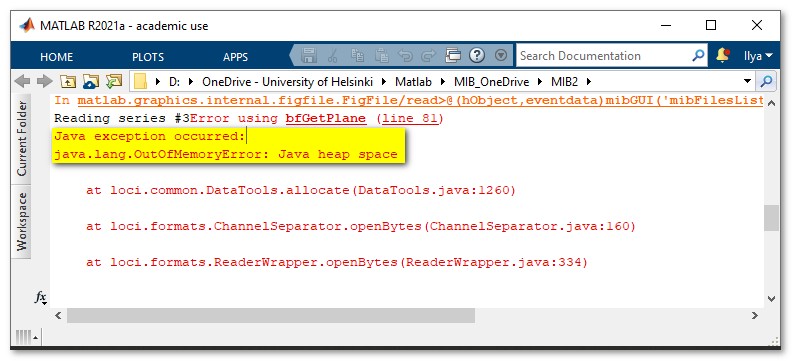
This can be fixed by increasing Java Heap Space value in MATLAB
MIB under MATLAB environment
- Open MATLAB preferences

- Navigate to
MATLAB->General->Java Heap Memory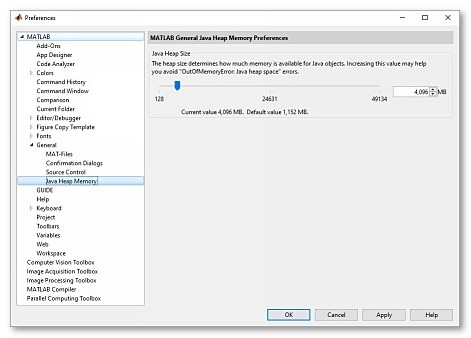
- Use the slider to increase Java Heap size to the desired value
- Press OK and restart MATLAB